Difference between revisions of "Template:Image popup"
Infobroker (talk | contribs) (testing new function) |
Infobroker (talk | contribs) m (testing new function) |
||
| Line 14: | Line 14: | ||
==Examples== | ==Examples== | ||
* <pre>{{Image popup|No_pic image on mouseover|NIA3.gif}</pre> | * <pre>{{Image popup|No_pic image on mouseover|NIA3.gif}</pre> | ||
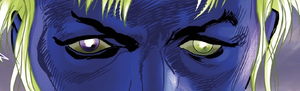
| − | ** {{Image popup|No_pic image on mouseover| | + | ** {{Image popup|No_pic image on mouseover|BrokenManEyes.png}} |
| − | * <pre>{{Image popup|No_pic image on mouseover, 1/2 width, purple background| | + | * <pre>{{Image popup|No_pic image on mouseover, 1/2 width, purple background|BrokenManEyes.png|width=150|bgcolor=purple}}</pre> |
| − | ** {{Image popup|No_pic image on mouseover, 1/2 width, purple background| | + | ** {{Image popup|No_pic image on mouseover, 1/2 width, purple background|BrokenManEyes.png|width=150|bgcolor=purple}} |
* <pre>{{Image popup|External image on mouseover|http://upload.wikimedia.org/wikipedia/mediawiki/a/a9/Example.jpg|external=yes|width=400}}</pre> | * <pre>{{Image popup|External image on mouseover|http://upload.wikimedia.org/wikipedia/mediawiki/a/a9/Example.jpg|external=yes|width=400}}</pre> | ||
** {{Image popup|External image on mouseover|http://upload.wikimedia.org/wikipedia/mediawiki/a/a9/Example.jpg|external=yes|width=400}} | ** {{Image popup|External image on mouseover|http://upload.wikimedia.org/wikipedia/mediawiki/a/a9/Example.jpg|external=yes|width=400}} | ||
Revision as of 15:41, 8 October 2013
Contents
Usage
{{Image popup|Text|Filename|width=###|height=##|bgcolor=(color)|xtrnl=(condition)|link=(page)|alt=(text)}}
- You may [[Link]] the Text.
- Filename defaults to No_pic.jpg if not defined.
- Default bgcolor is #FFFFFF Template:Popup white.
- Default width is 300. (A width greater than 500 will likely end up off the page on smaller screens)
- Default height is inherited based on width and size of image.
- Default external condition is no. Acceptable true switches are: 1, on, true, y, yes
- NOTE: External images do NOT follow the width rules, be sure to enter an appropriate width or your popup box size/border may be too small or too large.
- link= & alt= cannot be used together. You can either specify a different page for the page to go to or a different text but not both.
Examples
{{Image popup|No_pic image on mouseover|NIA3.gif}- No_pic image on mouseover
- No_pic image on mouseover
{{Image popup|No_pic image on mouseover, 1/2 width, purple background|BrokenManEyes.png|width=150|bgcolor=purple}}- No_pic image on mouseover, 1/2 width, purple background

- No_pic image on mouseover, 1/2 width, purple background
{{Image popup|External image on mouseover|http://upload.wikimedia.org/wikipedia/mediawiki/a/a9/Example.jpg|external=yes|width=400}}{{Image popup|External image on mouseover, red background, too small of a box|http://upload.wikimedia.org/wikipedia/mediawiki

/a/a9/Example.jpg|xtrnl=y|bgcolor=red|width=200}}
{{Image popup|External image on mouseover, red background, too large of a box|http://upload.wikimedia.org/wikipedia/mediawiki
/a/a9/Example.jpg|xtrnl=y|bgcolor=red|width=500}}
See Also
- Template:popup
- Template:Short popup
- Template:Long popup
- Template:Custom popup -- Still incomplete, not working as intended Template:Popup.